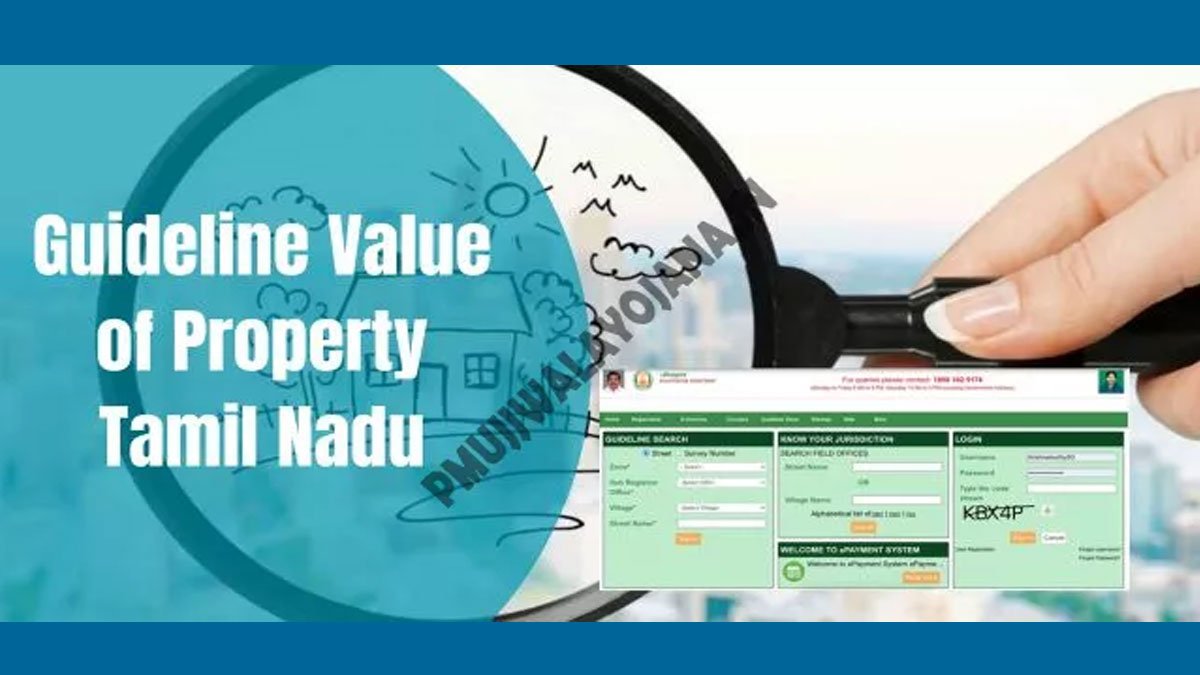
TNREGINET Portal – Online Land Records for Tamil Nadu
The portal is located at http://www.tnreginet.gov.in.
TNREGINET allows you to perform tasks that previously required many visits to the sub-registrar. From your phone or computer, you can verify the land registration documents, request an Encumbrance certificate (EC) and search for guideline values.
TNREGINET Offers a Wide Range of Services
- Encumbrance Certificate Services
- Online application for Certificate of Encumbrance.
- Download or view the EC online.
- Find Values by Guideline
- You can check the minimum value of property for registration in any area within Tamil Nadu.
- Land Registration Services
- Register new property documents.
- You can track the progress of your application.
- Patta and Chitta Extracts
- View Chitta details (land classification).
- Register Documents Online
- Register documents like wills, contracts, and deeds of property.
- Register your marriage and birth
- Register marriage certificates and Birth certificates .
- TNREGINET Login Services
- Log in to your portal account and access personalized services.
Step-by step guide to using TNREGINET Services
1. Registration on TNREGINET
- Go to the official portal: Visit www.tnreginet.gov.in.
- Please click “User registration”.
- Note down your email, password, name and phone number.
- After entering your data, click “Submit”.
- Click on the link in your email to gain access to your account.
After registering, you will be able to log in and use all of the services offered by the portal.

2. You can apply for an encumbrance certificate online
- Sign in with your account: Log into TNREGINET using your user name and password.
- Select “Encumbrance certificate” under E Services.
- Enter the property information: Complete details such as district, subregistrar office and survey number.
- Submit your application: Once you have entered all the information, click on the “Submit” button to submit the form.
- Download the EC: After processing, you can then download the Encumbrance Certificate.
3. You can check land registration documents online
- Sign in using your TNREGINET account: Enter the credentials you use to log in.
- Select “Document Verification”. You will find this option under “E-Services”.
- Please enter the following details: Document number, year of registration, and sub-registrar’s office.
- Open the file: Now you can view the details of your registration.
4. How to check the guideline value of a property
- Access the TNREGINET Portal: This service does not require a login.
- Select “Guideline value” from the menu: The option can be found on the home page.
- Enter the location: Choose district, village and street names.
- Display the guideline values: This portal displays the current guideline values for the selected location.
The TNREGINET Portal has many benefits.
- Convenience Access government services without having to visit offices.
- Save time: online processes are quicker and can reduce wait times.
- Transparency Accurate and current information reduces fraud
- Efficiency: Improves user experience by simplifying services.
Common Problems and Their Solutions
- Incorrect details: Check all information before you submit any form.
- Lost Password? Click on the link ” I forgot my password to recover your login credentials.
- Website loading slowly: Access the gateway at off-peak times.

The FAQ
1. What is the TNREGINET Portal?
Register on TNREGINET
- Visit www.tnreginet.gov.in.
- Please click on the “User registration” button.
- Please enter your name, phone number, and email address.
- Enter a unique password.
- Verify your account by clicking the link in an email.
2. Why do I need an Encumbrance certificate (EC)?
The Encumbrance Certificates show the transactions and prove that a house has no mortgages. It is required for buying or selling real estate, getting a mortgage, and verifying ownership.
3. What is the TNREGINET Encumbrance Certificate download?
- Sign in to the TNREGINET Portal.
- Select “Encumbrance Certificate” under “E-Services.”
- Please enter the property information and click on the “Submit” button.
- You can download and view the EC after it has been processed.
4. How can I find out the value guideline of a particular property in TNREGINET?
- Visit www.tnreginet.gov.in.
- On the home page, click on “Guideline value”.
- Please enter the details of your district, village and street.
- You will see the guideline values for each location.
5. What’s the difference between Patta & Chitta?
- The document that demonstrates ownership of an area of land.
- Chitta : Document that gives details on the area and type of land (whether wet or not).
The Tamil Nadu e-Services Portal allows you to view and download both documents.
6. What is the best way to verify my land documents online?
- Sign in to the TNREGINET Portal.
- Select “Document verification” under “E-Services.”
- Please enter the number of your document, year registered, and details for the subregistrar’s office.
- Verify the details of your verification online.
WebLink
7. How can I pay my registration fee online via TNREGINET
You can pay online for TNREGINET services and registration fees. Select the desired service, enter the required information and select the payment option.
8. What can I do if my TNREGINET password is forgotten?
- Login to TNREGINET by visiting the login page.
- Please click on the “Forgot Password” link.
- Please enter your email address or registered phone number.
- To reset your password, follow the instructions that you receive via email.